Sample Output
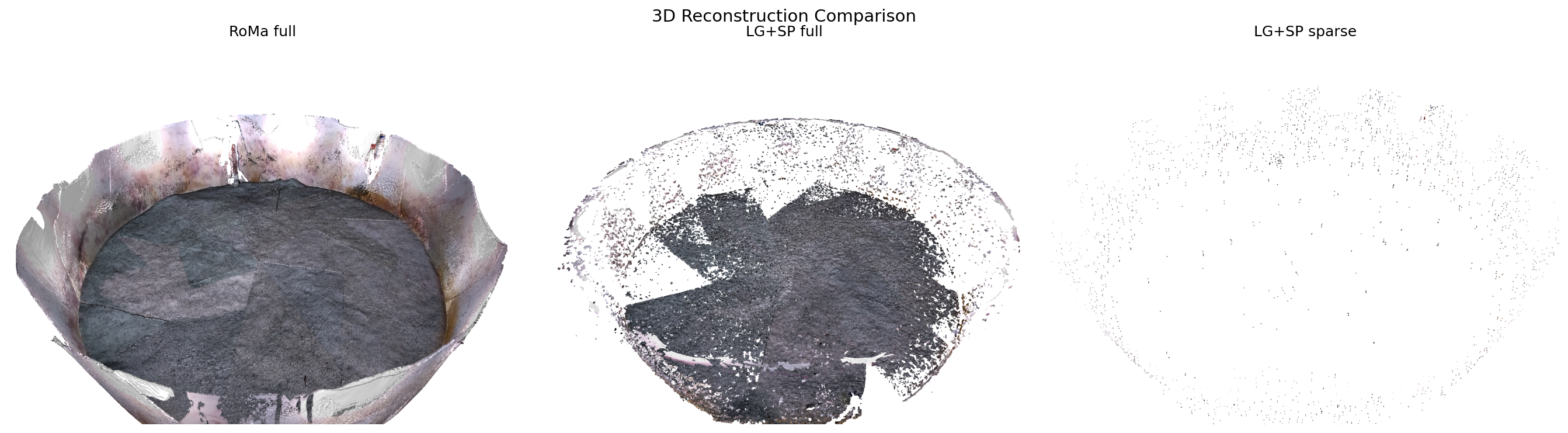
AquaMVS supports three reconstruction pathways, each offering a different tradeoff between speed and point density. Below are representative results from the example dataset showing what each pathway produces on the same frame.
3D Reconstruction Comparison
Side-by-side point cloud renders from all three pathways on the same input frame.
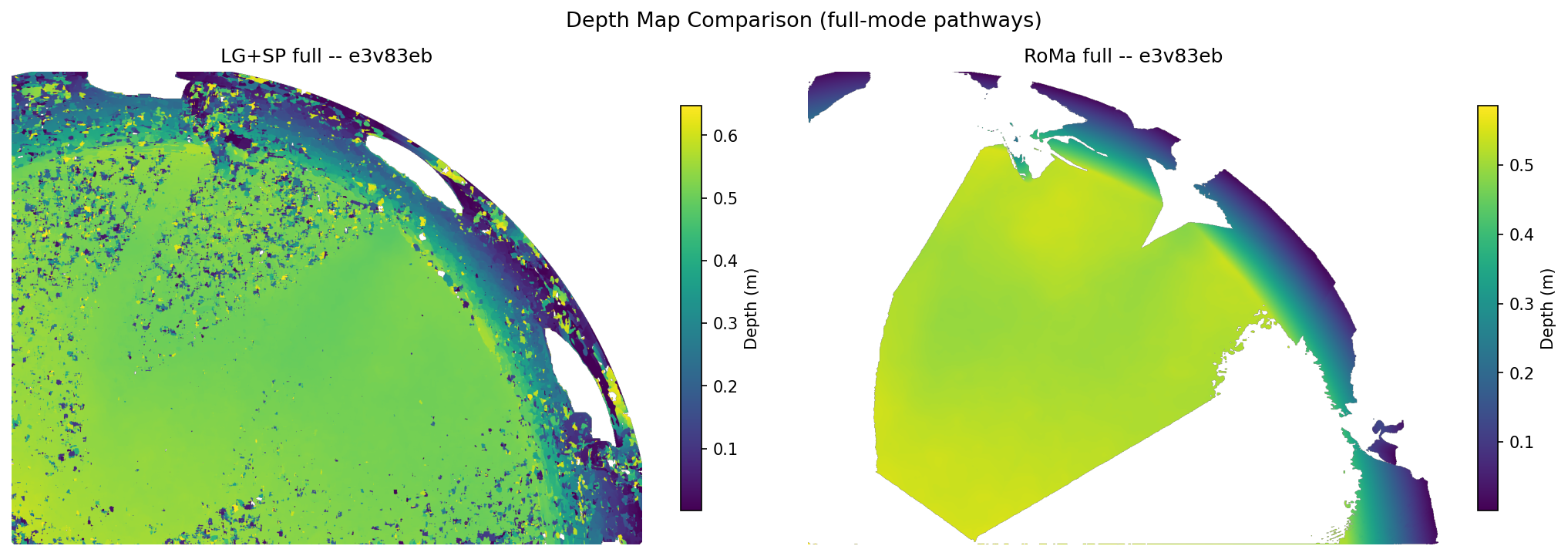
Depth Map Comparison
Colormapped depth maps for the two dense pathways (LG+SP full and RoMa full). Sparse mode does not produce depth maps – it triangulates directly from feature correspondences.
Performance
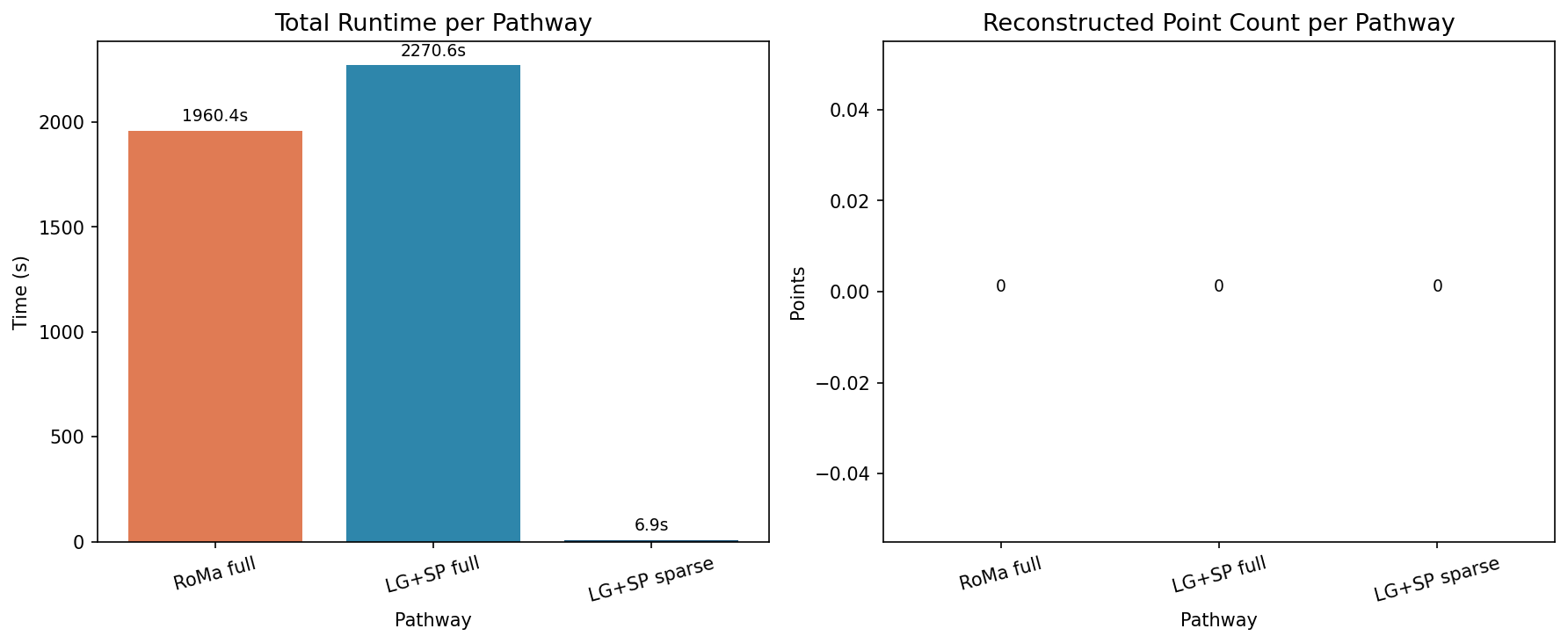
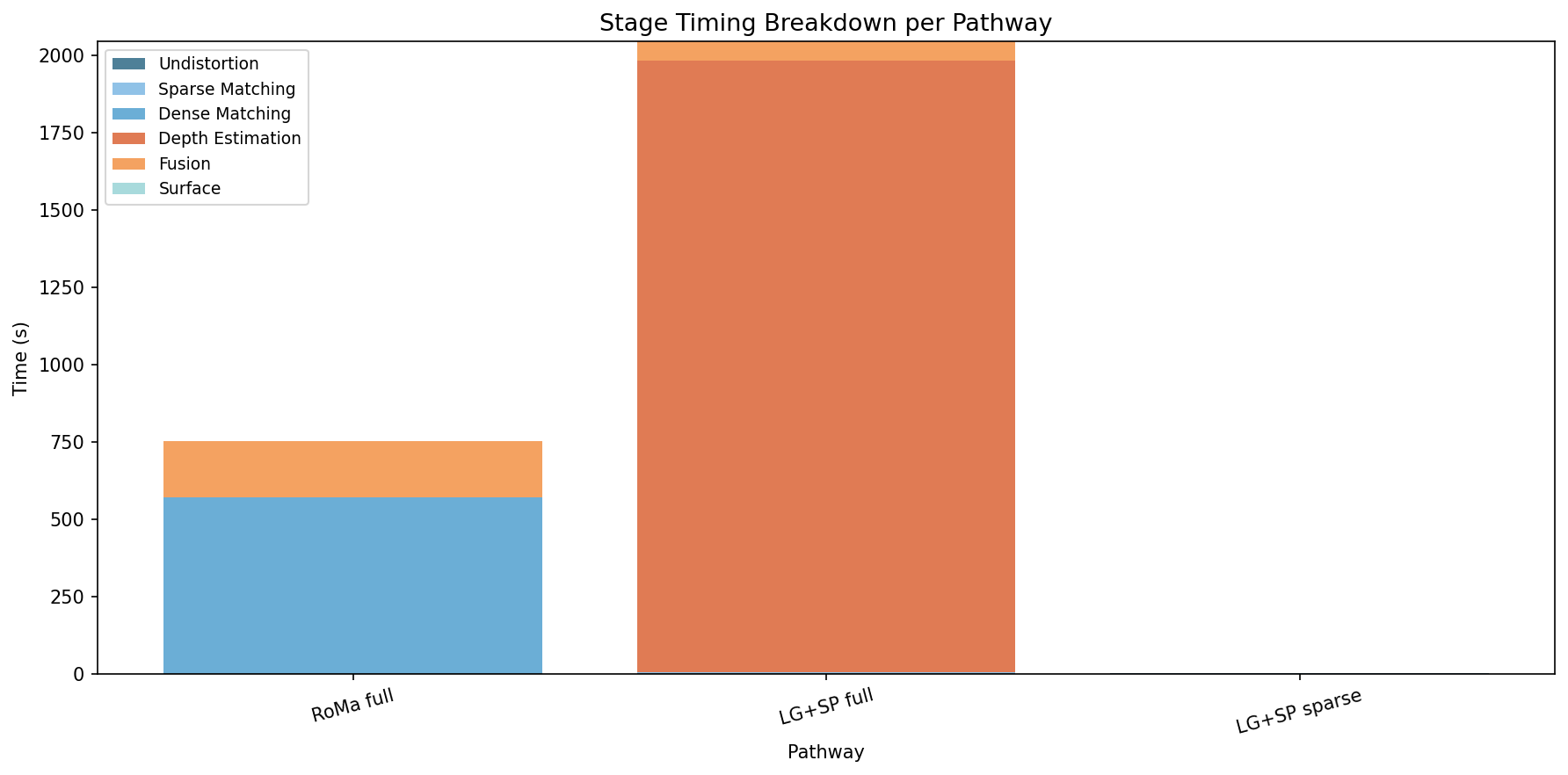
LG+SP sparse is the fastest pathway but produces the fewest points. RoMa full is the slowest but yields the densest reconstruction. LG+SP full offers a balanced middle ground suitable for most use cases.
Choosing a Pathway
Use this table to guide your choice of reconstruction pathway:
Pathway |
Speed |
Point Density |
Use Case |
|---|---|---|---|
LG+SP sparse |
Fastest |
Low |
Quick preview, debugging, sparse structure |
LG+SP full |
Moderate |
High |
General-purpose dense reconstruction |
RoMa full |
Slowest |
Highest |
Maximum quality, challenging lighting/texture |
Recommendations:
Start with LG+SP sparse to verify your dataset and configuration are correct.
Use LG+SP full for most production reconstructions.
Switch to RoMa full if you see sparse reconstruction failures or low point density (often in textureless or highly reflective underwater scenes).
To lock in a pathway, set these fields in your config.yaml:
matcher_type: lightglue  # or roma
pipeline_mode: full       # or sparse
Or use the --preset flag when initializing:
aquamvs init --preset fast
This applies speed-optimized parameter defaults across all pathways.
See also the CLI Guide for command-line options and the API Reference for programmatic access to the benchmark runner.